💬
Hyderabad • Offline & Practical Training

Upgrade Your Skills With Industry Ready Courses

Learn practical technology skills with expert trainers at Master Tech Academy Plus. Build real projects and become job-ready.

✔ Practical lab environment ✔ Small batch sizes ✔ Certification on completion
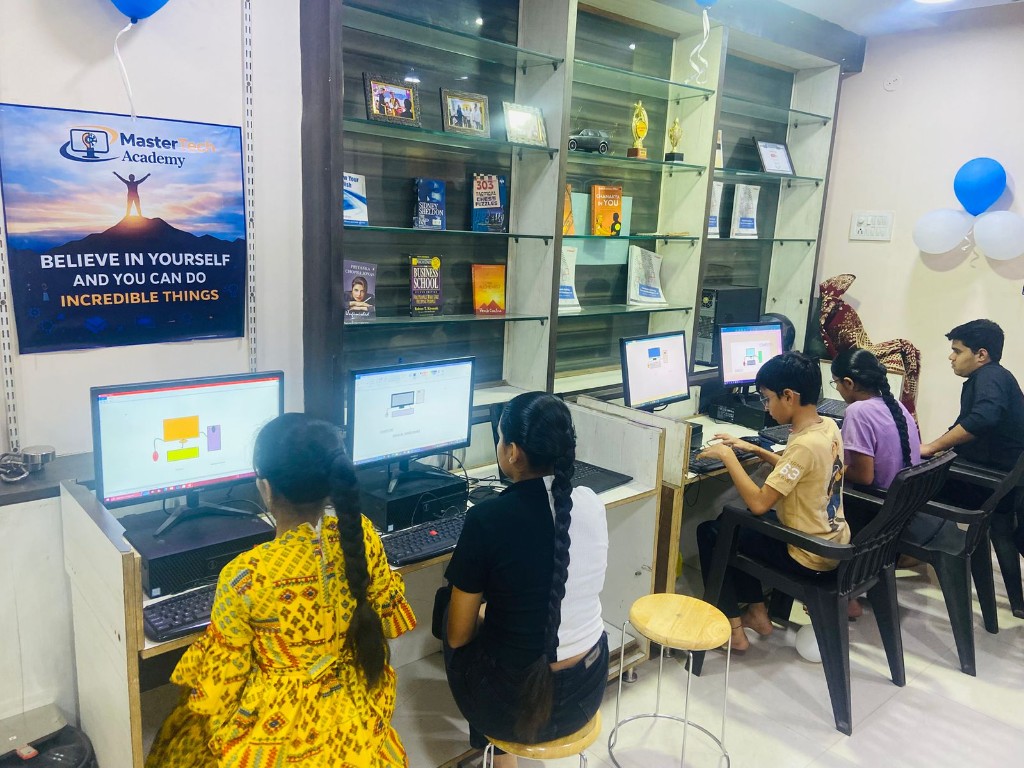
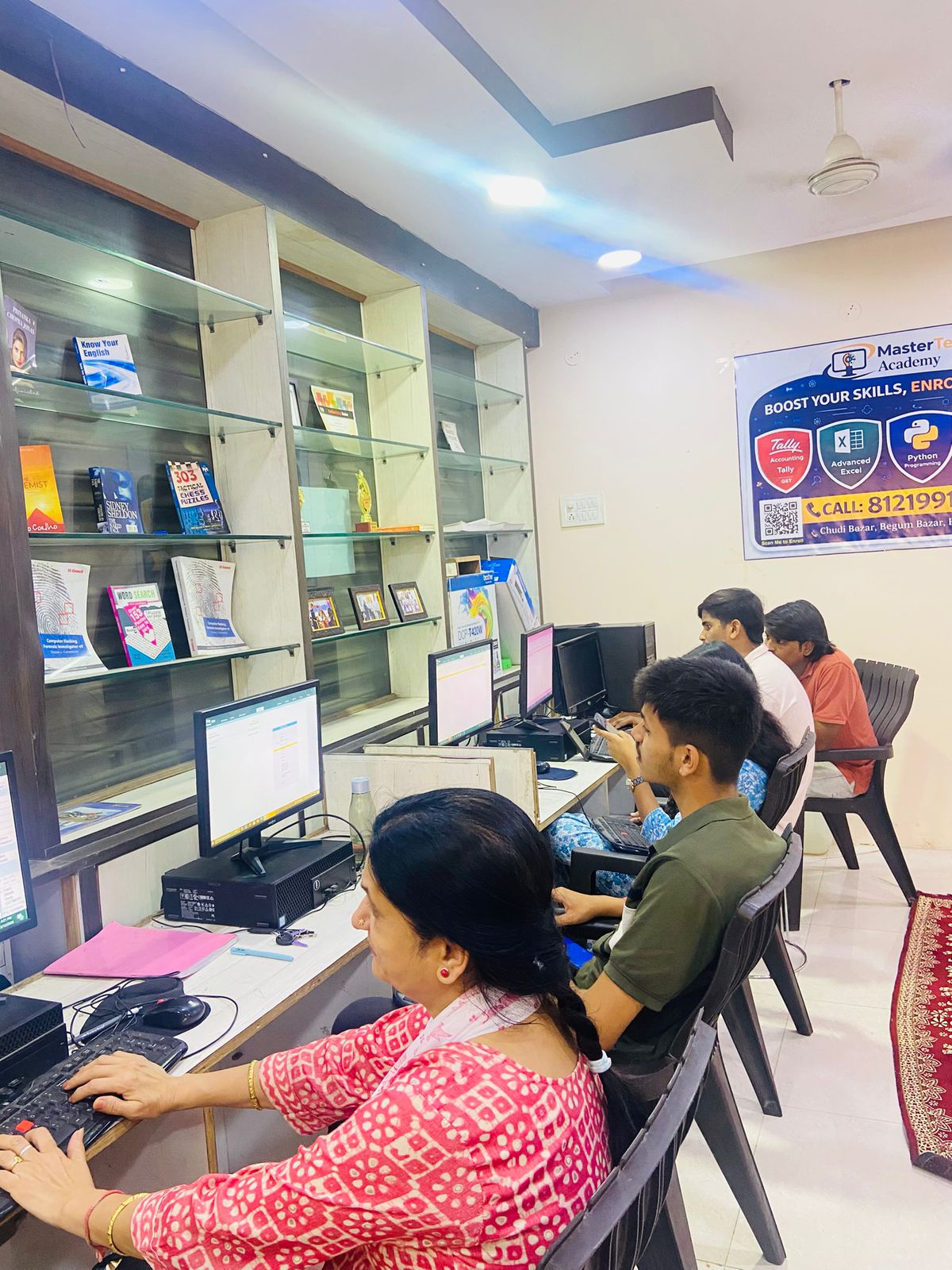
Students learning at Master Tech Academy Plus

Our Students & Training Environment

Get a glimpse of our classroom, lab facilities, and real training sessions.
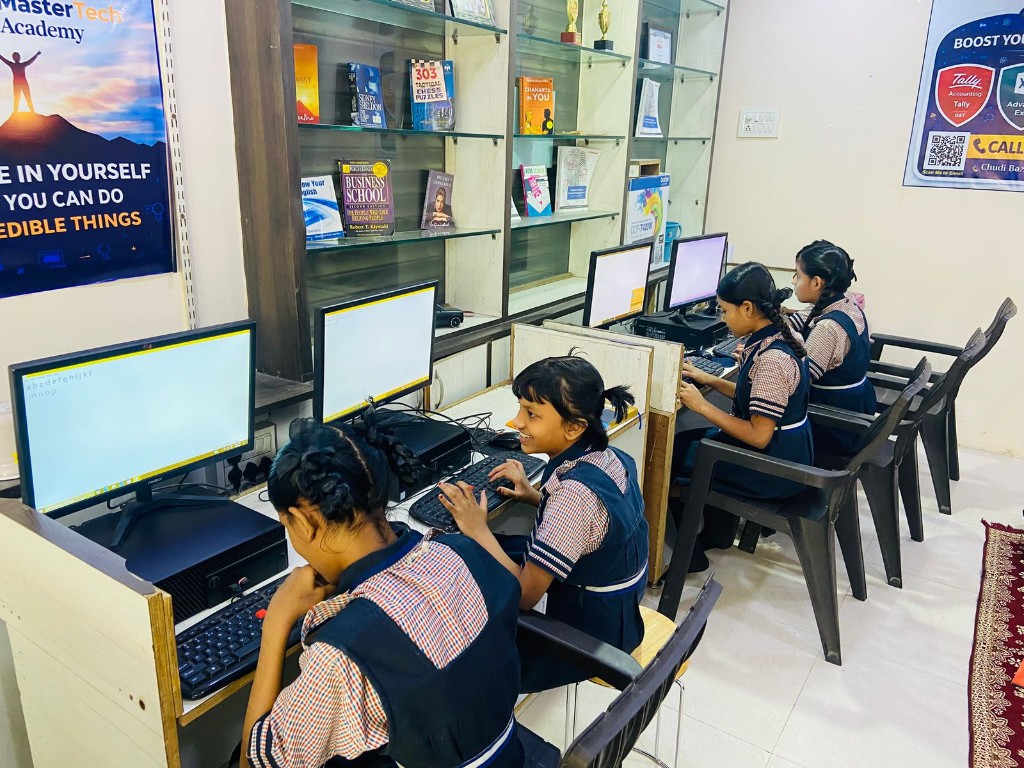
Training environment 1
Training environment 2
Training environment 3
Training environment 4

Our Popular Courses

Choose from beginner to advanced level programs designed for real-world skills.

💻

Basic Computer

Perfect for beginners who want to start with essential computer skills.

📊

Advance Excel + AI

Master Excel with AI-powered workflows for business reporting and automation.

📝

MS Office (Word, Excel, PowerPoint)

Complete MS Office suite training for students, professionals, and businesses.

🛡️

Cybersecurity

Learn how to secure networks, systems, and applications from cyber threats.

🤖

AI Agent Course

Build AI-powered automations and agents using modern tools and workflows.

🎮

Scratch Programming

Fun visual programming for kids to learn logic, animation, and game design.

🐍

Python with AI

From Python basics to AI and machine learning concepts with projects.

📒

Tally Prime

Professional accounting with Tally Prime, GST, inventory and payroll.

Course Modules & Details

Expand each course to see key modules and what you will learn.

Duration: 30 Days

Module 1: Excel Fundamentals Refresher & ChatGPT Overview

  • Introduction to Course Structure
  • Overview of ChatGPT and How it Can Assist in Excel Tasks
  • Basic Excel Functions: SUM, AVERAGE, MIN, MAX, COUNT, COUNTA
  • Text Functions: CONCATENATE, TEXT, LEFT, RIGHT, MID
  • Date Functions: TODAY, DATE, YEAR, MONTH, DAY
  • ChatGPT Assistance: Formula Syntax and Examples

Module 2: Data Management and Basic Tools

  • Sorting and Filtering Data
  • Find & Replace Operations
  • Introduction to Conditional Formatting
  • ChatGPT Assistance: Basic Data Management and Troubleshooting

Module 3: Advanced Lookup Functions

  • VLOOKUP, HLOOKUP, INDEX, MATCH, XLOOKUP
  • Combining Functions for Dynamic Lookups
  • ChatGPT Assistance: Lookup Formula Construction

Module 4: Pivot Tables and Pivot Charts

  • Creating PivotTables and PivotCharts
  • Filtering and Analyzing Data with PivotTables
  • ChatGPT Assistance: PivotTable Troubleshooting

Module 5: Advanced Conditional Formatting

  • Creating Complex Rules Using Formulas
  • Using Color Scales, Icon Sets, and Data Bars
  • ChatGPT Assistance: Complex Formatting Examples

Module 6: Data Validation & Drop-down Lists

  • Setting Up Data Validation for Cells
  • Creating and Managing Drop-down Lists
  • Error and Input Messages
  • ChatGPT Assistance: Custom Data Validation Rules

Module 7: Introduction to Power Query

  • Importing and Transforming Data with Power Query
  • Basic Data Cleaning and Transformation
  • ChatGPT Assistance: Power Query Transformations and M Code

Module 8: Excel Charts & Data Visualization

  • Creating and Customizing Various Chart Types
  • Using Dynamic and Combo Charts
  • ChatGPT Assistance: Chart Design and Customization Tips

Module 9: Advanced Excel Formulas

  • Nested IF, SUMIFS, COUNTIFS, and Logical Functions
  • Data Analysis with Multiple Conditions
  • ChatGPT Assistance: Formula Debugging and Optimization

Module 10: Slicers and Timelines for Interactive Data

  • Creating and Using Slicers
  • Linking Slicers to Multiple PivotTables and Charts
  • ChatGPT Assistance: Slicer Usage and Troubleshooting

Module 11: Introduction to Macros & VBA

  • Recording and Editing Macros
  • Basic VBA Scripting for Task Automation
  • ChatGPT Assistance: VBA Script Generation and Debugging

Module 12: Advanced Macros & VBA Techniques

  • Writing Complex VBA Scripts (Loops, Conditions)
  • Custom VBA Functions for Automation
  • ChatGPT Assistance: Writing and Debugging Advanced VBA

Module 13: Data Modeling and Power Pivot

  • Building Data Models with Power Pivot
  • Using DAX Functions for Calculated Columns and Measures
  • ChatGPT Assistance: DAX Syntax and Best Practices

Module 14: Power BI Integration with Excel

  • Connecting Excel to Power BI
  • Basic Power BI Visualizations and Data Models
  • ChatGPT Assistance: Power BI Integration and DAX Queries

Module 15: Advanced Data Analysis: What-If Analysis & Solver

  • Using Data Tables, Goal Seek, and Solver for Analysis
  • Scenario Analysis for Forecasting and Business Planning
  • ChatGPT Assistance: What-If Scenarios and Optimization

Module 16: Advanced Data Transformation with Power Query

  • M Code for Advanced Data Transformations
  • Combining Multiple Data Sources for Analysis
  • ChatGPT Assistance: Writing Complex M Code

Module 17: Financial Functions in Excel

  • Mastering NPV, IRR, PV, and PMT
  • Budgeting, Forecasting, and Investment Analysis
  • ChatGPT Assistance: Financial Modeling with Excel Functions

Module 18: Introduction to Excel Dashboards

  • Key Elements of a Dashboard (KPIs, Charts, Tables)
  • Creating Interactive Dashboards with Slicers and Timelines
  • ChatGPT Assistance: Dashboard Design Tips and Best Practices

Module 19: Advanced Excel Dashboards

  • Multi-Page, Interactive Dashboards
  • Integrating Dynamic Data Updates with Power Query
  • ChatGPT Assistance: Advanced Dashboard Optimization

Module 20: Using External Data in Excel

  • Importing and Analyzing Data from External Sources (APIs, Web Scraping)
  • Using Power Query for External Data Connections
  • ChatGPT Assistance: External Data Integration Techniques

Module 21: Excel for Business Intelligence

  • Building Business Intelligence Reports in Excel
  • Using Power Pivot and Power Query for BI
  • ChatGPT Assistance: Excel for Business Intelligence Best Practices

Module 22: Final Project - Part 1 (Excel Tasks)

  • Analyzing and Visualizing Business Data with Advanced Excel Techniques
  • Applying PivotTables, Formulas, Macros, and Power Query

Module 23: Final Project - Part 2 (Dashboards & Automation)

  • Creating Dashboards and Automating Tasks with Macros/VBA
  • Integrating Final Report with Dynamic Data Models

Module 24: ChatGPT for Real-World Excel Problem Solving

  • Practical Use of ChatGPT for Excel Troubleshooting and Optimization
  • Applying ChatGPT for Formula Debugging and Optimization

Module 25: Course Wrap-up & Final Project Review

  • Recap of Key Learnings and Tools Covered
  • Reviewing and Submitting Final Project
  • Course Feedback and Future Learning Pathways
Duration: 30 Days Mode: Practical + Mini Projects

Week 1 – Python Fundamentals (Day 1–7)

Day 1 – Introduction
  • What is Programming
  • What is Python
  • Installing Python & VS Code
  • Running first program
  • Practice: Print statements, Simple calculator
Day 2 – Variables & Data Types
  • Variables, Numbers, Strings
  • Input from user
  • Practice: Age calculator, Name greeting program
Day 3 – Operators
  • Arithmetic, Comparison, Logical operators
  • Practice: Marks percentage calculator
Day 4 – Conditional Statements
  • if, if-else, nested if
  • Practice: Even / Odd checker, Grade system program
Day 5 – Loops
  • for loop, while loop
  • Practice: Multiplication table, Number guessing game
Day 6 – Functions
  • What is function, Creating functions, Parameters
  • Practice: Calculator using functions
Day 7 – Mini Project 1

Project: Student Result System

  • Enter marks, Calculate percentage, Display grade

Week 2 – Python Intermediate (Day 8–14)

Day 8 – Lists
  • List creation, Indexing, List functions
  • Practice: Student marks list
Day 9 – Tuples & Sets
  • Tuple basics, Set operations
Day 10 – Dictionaries
  • Key-value data, Access dictionary
  • Practice: Student database
Day 11 – File Handling
  • Create file, Read file, Write file
Day 12 – Exception Handling
  • try / except, Error handling
Day 13 – Python Libraries
  • Introduction to libraries, Installing packages, pip basics
Day 14 – Mini Project 2

Project: To-Do List App

  • Add tasks, View tasks, Save in file

Week 3 – Introduction to AI (Day 15–21)

Day 15 – Introduction to AI
  • What is AI, AI vs Machine Learning, AI applications
Day 16 – Python for AI
  • NumPy basics, Arrays
Day 17 – Data Handling
  • Pandas basics, Data frames, Reading CSV
Day 18 – Data Visualization
  • Matplotlib basics, Bar chart, Line chart
Day 19 – Machine Learning Basics
  • What is Machine Learning, Types of ML
Day 20 – First AI Model
  • Using Scikit-Learn: Predict house price, Predict student marks
Day 21 – Mini Project 3

Project: Student Marks Prediction AI

  • Input study hours, Predict marks

Week 4 – AI Projects (Day 22–30)

Day 22 – AI Chatbot Basics
  • What is chatbot, Python chatbot logic
Day 23 – Chatbot Development

Project: Simple Chatbot (Greeting bot, FAQ bot)

Day 24 – Image Processing Basics
  • OpenCV introduction, Read image
Day 25 – AI Image Classifier
  • Simple image recognition
Day 26 – AI Text Generator
  • Using AI APIs
Day 27 – Final Project Planning

Options: AI Chatbot, AI Attendance System, AI Text Generator, AI Recommendation System

Day 28 – Final Project Development

Coding and testing

Day 29 – Project Completion

UI improvement, Debugging

Day 30 – Project Presentation + Certification

🎓 Certificate distribution

Duration: 30 Days

Week 1: Cybersecurity Fundamentals

  • Day 1: What is Cybersecurity? Differences from IT & InfoSec
  • Day 2: The CIA Triad: Confidentiality, Integrity, Availability
  • Day 3: Types of Cyber Threats (Malware, Phishing, Ransomware)
  • Day 4: Authentication, Authorization & Accountability (IAAA)
  • Day 5: Risk Management & Privacy Principles
  • Day 6: Security Governance & Ethics
  • Day 7 Task: Analyze a simple phishing email

Week 2: System & Network Security

  • Day 8: Operating System Security (Windows/Linux Basics)
  • Day 9: Network Fundamentals (OSI Model, TCP/IP)
  • Day 10: Firewalls, IDS/IPS & VPNs
  • Day 11: Access Control Models (DAC, MAC, RBAC)
  • Day 12: Wireless Security & Encryption Protocols
  • Day 13: Physical vs Logical Security
  • Day 14 Task: Set up a basic firewall rule

Week 3: Threats, Attacks & Defence

  • Day 15: Social Engineering & Insider Threats
  • Day 16: Common Attacks: SQL Injection, XSS, DoS/DDoS
  • Day 17: Cryptography Basics (Symmetric vs Asymmetric)
  • Day 18: Hashing, Digital Signatures & Certificates
  • Day 19: Secure Software Development Lifecycle (SDLC)
  • Day 20: Vulnerability Assessment & Penetration Testing
  • Day 21 Task: Use an online tool to scan a website

Week 4: Real-World Applications & Career Prep

  • Day 22: Incident Response & Forensics
  • Day 23: Business Continuity & Disaster Recovery
  • Day 24: Cloud Security (Azure, AWS Basics)
  • Day 25: Mobile Security (Android/iOS Threats)
  • Day 26: Compliance & Legal Frameworks (GDPR, HIPAA)
  • Day 27: Cybersecurity Tools (Wireshark, Nmap, Metasploit)
  • Day 28 Task: Simulate a basic attack in a virtual lab

Final Days: Review & Showcase

  • Day 29: Review Key Concepts + Career Paths (SOC Analyst, Pen Tester)
  • Day 30: Final Project: Create a Cybersecurity Risk Report for a mock company
Duration: 30 Days

Module 1: Basics of Scratch & Creativity

  • Day 1: Intro to Scratch (Interface, Coding concepts)
  • Day 2: Sprites & Stage (Adding, resizing, backgrounds)
  • Day 3: Motion Blocks (Coordinates, movement)
  • Day 4: Looks Blocks (Costumes, effects, speech)
  • Day 5: Sound Blocks (Adding sounds, voice recording)
  • Day 6: Events (Green flag, key press, broadcast)
  • Day 7 Project: Talking & Moving Cartoon Character

Module 2: Logic & Interaction

  • Day 8: Control Blocks (Loops, waiting)
  • Day 9: Conditional Statements (If-Else, decision making)
  • Day 10: Sensing Blocks (Touching, mouse/key sensing)
  • Day 11: Variables (Creating, changing scores)
  • Day 12: Operators (Math, logic, comparison)
  • Day 13: Simple Game Logic (Scoring, timer)
  • Day 14 Project: Catch the Ball Game

Module 3: Animation & Game Design

  • Day 15: Advanced Motion (Glide, bounce, edge detection)
  • Day 16: Costume Animation (Walking, frame-by-frame)
  • Day 17: Multiple Sprites interaction
  • Day 18: Cloning (Create/delete clones)
  • Day 19: Background Switching (Levels, story scenes)
  • Day 20: Game Controls (Keyboard, speed)
  • Day 21 Project: Maze Game

Module 4: Advanced Concepts & Final Project

  • Day 22: Broadcast Messages (Scene switching, levels)
  • Day 23: Timers & Lives (Game over logic, restart)
  • Day 24: Sound & Effects (Background music, SFX)
  • Day 25: Debugging (Finding errors, optimization)
  • Day 26 Project: Animated Story
  • Day 27: Game Improvement (Difficulty, levels)
  • Day 28: Final Project Planning
  • Day 29: Final Project Development (Student Choice)
  • Day 30: 🎓 Presentation & Certificate Distribution
Duration: 30 Days

Module 1: Introduction to Tally Prime

  • Features, Benefits, Installation
  • Tally interface overview
  • Company creation, alteration, deletion

Module 2: Basic Accounting in Tally

  • Accounting basics for non-commerce
  • Golden Rules of Accounting
  • Managing Groups, Ledgers, Voucher types
  • Journal entries and voucher entry

Module 3: Inventory Management

  • Masters: Stock Groups, Items, Units, Godowns
  • Inventory vouchers: Purchase, Sales, Note entries

Module 4: Accounting Vouchers

  • Payment, Receipt, Contra, Journal, Sales & Purchase
  • Debit & Credit Notes, Post-dated vouchers

Module 5: Bill-wise Accounting

  • Enabling details, Reference types
  • Bill settlement and outstanding reports

Module 6: Banking in Tally

  • Cheque management, Bank reconciliation
  • Deposit slips, payment advice, e-Payments

Module 7: GST in Tally Prime

  • Basics of GST, Activation in Tally
  • GST setup for company and ledgers
  • GST-compliant entries and reports

Module 8: Payroll in Tally

  • Salary structures, Attendance vouchers
  • Generating pay slips

Module 9: Reports and Analysis

  • Trial Balance, P&L, Balance Sheet
  • Day Book, Ledger, Inventory Reports
  • Ratio Analysis, Cash/Bank Book

Module 10: Data Management and Security

  • Backup, Restore, Export, Import
  • Password protection and user control

Final Project / Practical Assessment

  • Full company setup and transaction entries
  • GST, P&L, and Inventory report generation
Duration: 30 Days

Module 1: Introduction to Computers

  • Definition, Types, Parts (Hardware vs Software)
  • Input, Output & Storage Devices
  • Operating Systems Intro (Windows, macOS, Linux)

Module 2: Operating Systems & File Management

  • Basics of Using Windows/macOS
  • File Explorer: Create, Rename, Copy, Move, Delete
  • Desktop, Taskbar, Settings, Cloud Storage (Google Drive)

Module 3: Word Processing & Typing Skills

  • MS Word / Google Docs Interface
  • Creating and Formatting Documents
  • Typing Practice and Speed Development

Module 4: MS Excel for Beginners

  • Excel / Sheets Basics (Rows, Columns, Tables)
  • Basic Formulas (SUM, AVERAGE), Charts
  • Practical: Budgeting, Attendance

Module 5: MS PowerPoint

  • PowerPoint / Slides Basics
  • Creating slides with Text, Images, Animations
  • Presentation Design Best Practices

Module 6: Internet & Web Basics

  • Intro to Web browsers, Search Engines (Google)
  • Safe and Efficient Browsing, understanding URLs
Duration: 30 Days (1–1.5 hr daily)

Week 1 – Computer Basics + MS Word

  • Day 1: Fundamentals (Hardware vs Software, Files)
  • Day 2: Word Interface, Ribbon, Creating docs
  • Day 3: Text Formatting (Fonts, Styles, Colors)
  • Day 4: Paragraph Formatting (Alignment, Bullets)
  • Day 5: Insert Options (Images, Shapes, Tables)
  • Day 6: Page Setup (Margins, Header/Footer)
  • Day 7 Project: Create a Resume / Bio-Data

Week 2 – Advanced MS Word + Excel Basics

  • Day 8: Advanced Word (WordArt, SmartArt, Themes)
  • Day 9: Mail Merge (Bulk certificates/letters)
  • Day 10: Excel Interface (Workbook, Rows/Columns)
  • Day 11: Data Entry, Formatting, Basic calculations
  • Day 12: Formulas (SUM, AVERAGE, MIN/MAX)
  • Day 13: Charts (Bar, Pie, Column)
  • Day 14 Project: Student Marksheet in Excel

Week 3 – Advanced Excel

  • Day 15: Logical Functions (IF, Nested IF)
  • Day 16: Data Tools (Filter, Sort, Validation)
  • Day 17: Conditional Formatting (Highlighting rules)
  • Day 18: Pivot Table Introduction (Data analysis)
  • Day 19: Excel Shortcuts & Productivity
  • Day 20: Dashboard Basics (Charts combination)
  • Day 21 Project: Sales Report Dashboard

Week 4 – MS PowerPoint

  • Day 22: PowerPoint Interface, Slides, Layouts
  • Day 23: Slide Design (Text, Images, Icons)
  • Day 24: SmartArt & Charts (Diagrams, Infographics)
  • Day 25: Animations (Object, Motion effects)
  • Day 26: Transitions & Slide show settings
  • Day 27: Professional Presentation Skills
  • Day 28 Project: Business Presentation (Marketing/AI)
  • Day 29: Final Project Development
  • Day 30: Final Presentation + Certification
Duration: 30 Days

Module 1: AI & Agent Basics (Foundation)

  • Day 1: Intro to AI (Daily life examples)
  • Day 2: What is an AI Agent? (AI vs AI Agent)
  • Day 3: Types of AI Agents (Reflex, Goal, Utility)
  • Day 4: How Agents Work (Input -> Process -> Output)
  • Day 5: AI Tools Overview (GPT, Gemini, No-code)
  • Day 6: Prompt Basics (Smart prompt engineering)
  • Day 7 Activity: Writing smart prompts

Module 2: Prompting & Task Automation

  • Day 8-9: Advanced Prompt Engineering (Role, Logical thinking)
  • Day 10: AI for Content (Emails, Resume, Social media)
  • Day 11: AI for Study (Notes, Q&A, Exam prep)
  • Day 12: AI for Business (Invoices, Marketing drafts)
  • Day 13: AI Agent Tools (AutoGPT, AgentGPT)
  • Day 14 Project: AI Personal Assistant (text-based)

Module 3: Building Simple AI Agents

  • Day 15: AI Agent Workflow (Plan -> Execute)
  • Day 16: Tool-Based AI Agent (Multi-step automation)
  • Day 17: Support Agent (Auto-reply logic, FAQs)
  • Day 18: Content Agent (Blog/Caption generator)
  • Day 19: Study Agent (Quiz/Explanation creator)
  • Day 20: Memory Concept (Context saving)
  • Day 21 Project: AI Customer Support Agent

Module 4: Advanced Basics & Final Project

  • Day 22: Ethics & Safety (Bias, Privacy)
  • Day 23: Limitations (When AI fails, Human+AI)
  • Day 24: AI for Marketing (Lead message generator)
  • Day 25: Office Work (Report drafting, Data explanation)
  • Day 26: Debugging AI Outputs (Improving responses)
  • Day 27-28: Final Project: AI Agent (Student Choice)
  • Day 29: Testing & Improvement
  • Day 30: 🎓 Project Demo & Certification

Why Choose Master Tech Academy Plus

A focused training environment designed to help you actually learn, practice, and grow.

🧑‍💻

Practical Training

Hands-on sessions, lab practice, and real tools instead of only theory.

📂

Real Projects

Work on mini-projects and assignments you can showcase in interviews.

👨‍🏫

Expert Trainers

Guidance from experienced trainers who focus on clarity and fundamentals.

🎓

Certification

Get a certificate that validates your learning and skills after course completion.

Watch Our Training Videos

Subscribe to our YouTube channel for demos, tips, and training previews.

Visit Our Institute

We are located in the heart of Hyderabad for easy access.

Master Tech Academy Plus

14-9-564, Chudi Bazar Rd,
Begum Bazar, Hyderabad, Telangana 500012

Contact & Enroll

Reach out to know batch timings, fees, and course details.

Talk to Us

Call or WhatsApp us for course counselling, schedules, and demo class details.

Location 14-9-564, Chudi Bazar Rd, Begum Bazar, Hyderabad, Telangana 500012

Connect Online

Follow us on social media to see our latest updates, student work, and training clips.